Two homes. One calm place.
Co-parenting, without the constant chasing.
Halven brings schedules, messages, money and everything about the kids into one shared place, so both homes always know what comes next.
One subscription covers the whole family. From $12.95 a month.
- One shared
source of truth - Private
by design - Equal access
for both parents
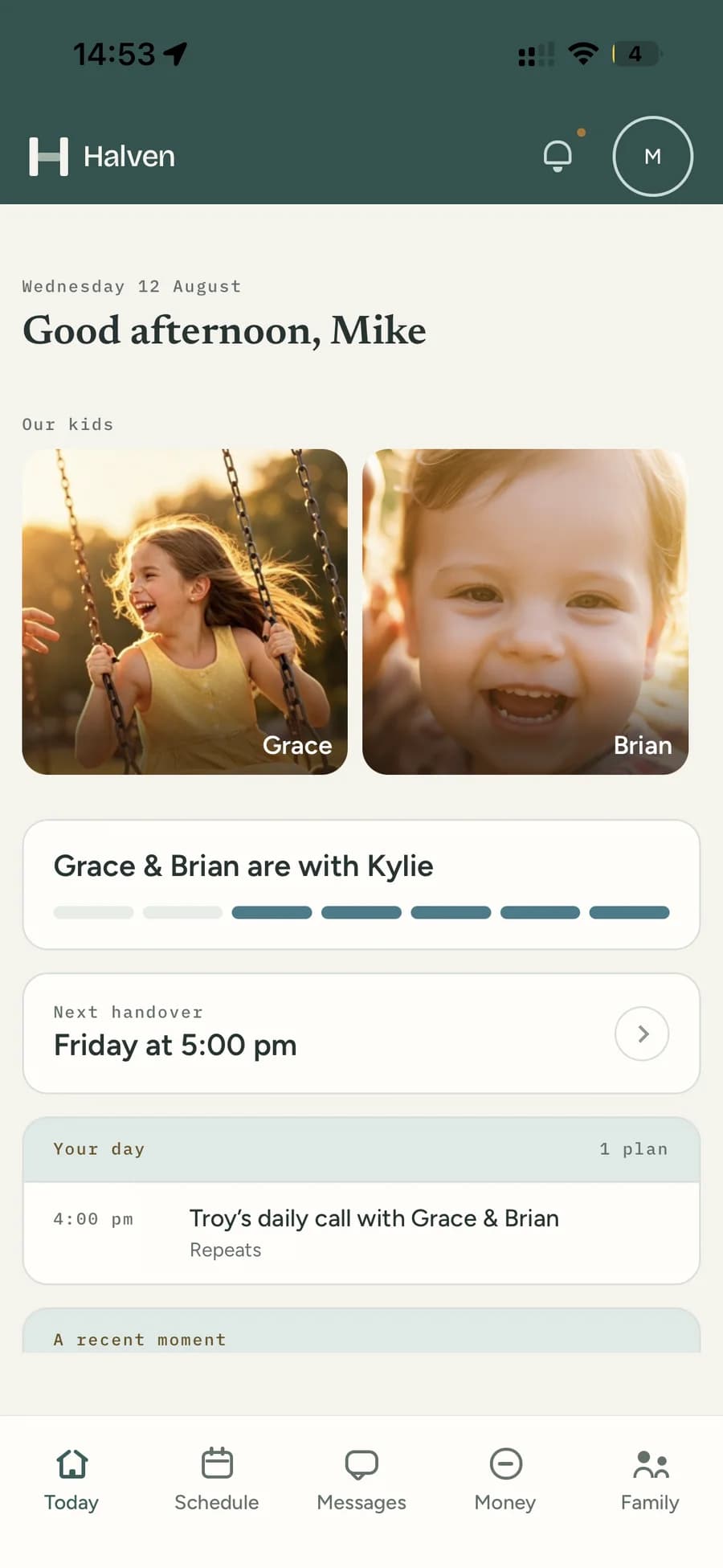
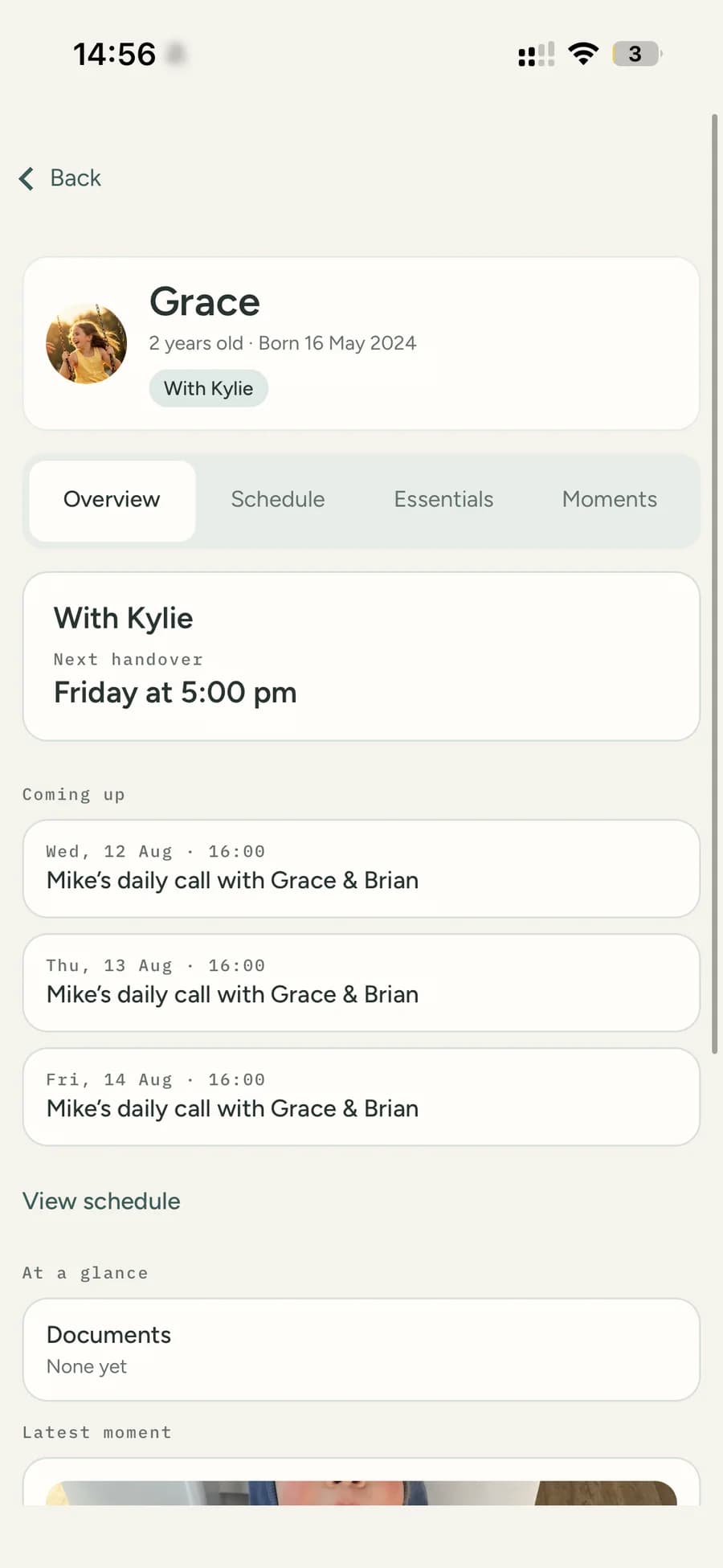
The week, in one place
Everything you need to coordinate.
Nothing designed to inflame.
See who has care, what happens next and anything waiting on you
One screen answers the question you actually have in the morning: where are the kids tonight, and is there anything I need to deal with before then?
- The next handover, with the time and the place
- Everything waiting on your reply, in one queue
- The day ahead across both homes
The schedule both homes work from
Alternating weeks, 2-2-3, 2-2-5-5, 3-4-4-3, every weekend, or a repeating pattern you build yourself. Handovers appear as their own items, so nothing is assumed.
- New Zealand and Australian public holidays and school terms already in
- Swap a weekend, offer time or move a handover — and it updates itself once agreed
- Shared events by default, private ones when they only concern your household
Decisions in one queue, not scattered across a thread
Requests, expenses waiting to be confirmed and anything else that needs an answer collect in one place, with a date by which a reply would help.
- Nothing changes until you both agree
- What is waiting, and who it is waiting on
- No badge counts engineered to make you anxious
Conversations that stay on topic
Subject-based threads, like email, rather than one endless scroll. Each thing gets its own thread, so each thing gets an answer.
- You can see when a message was first opened
- Attach the invoice, the school notice, the photo of the rash
- No typing indicators, no reactions, no presence — less to read into
One list of costs and one agreed split
Shared costs in one place, split the way you agreed when the cost was added, with a running balance you both see the same way.
- Receipts attached to the expense they belong to
- A balance that reflects what has actually been paid
- Changing the split later does not rewrite last term
Everything about the children, in Essentials
Medical details, school and teachers, emergency contacts and the documents you always end up hunting for — kept once, visible to both of you.
- Allergies, medications, doctors and NHI or Medicare numbers
- School, term dates, teachers and activities
- Sensitive numbers stay covered until you tap to reveal them
How it works
Start with your home. Build one shared plan.
Set up the family, add what already matters, and invite your co-parent when you are ready. Nothing waits on them to begin.
- 01
Set up your family
Add the children, the care pattern and the essentials you already rely on.
- 02
Invite the other home
Your co-parent joins the same family space, with equal access and no separate version.
- 03
Coordinate with clarity
Requests are proposed, reviewed and agreed before the shared plan changes.
Trust, built into the product
Clarity is a safety feature.
The things that make co-parenting harder are usually not disagreements about the children. They are about what was agreed, what was said and what was paid.
Changes need agreement
Care arrangements and shared settings do not shift quietly. A change is proposed, reviewed and agreed before the shared plan moves.
One shared history
What was agreed, what was paid and what was said stays where both of you can read it — the same history, not two versions of it.
Private by design
No advertising, no tracking, no data sold. Location is captured at the moment you tap a check-in and at no other time.
Pricing
One price, for the whole family.
Not per parent. One subscription covers both homes, including any grandparents or step-parents you invite.
Basic
$12.95
per month, per family
Everything you need to run the week — the schedule, the messages and the money.
Premium
$17.95
per month, per family
Basic, plus the extras that save time and the ones that keep a wider circle in the loop.
Both plans start with a 30-day free trial. Choose what fits now and change later.